Force updates for your mobile app
Get users off outdated versions and turn on maintenance mode remotely, without shipping a new release.
Free plan available. No credit card required.
appcockpit.dev/app
How it works
Ship your first force update in 3 steps
$ npm i appcockpit-react-native-sdk

<AppUpdateProvider
  info={appInfo}
  apiToken="…"
>
  <YourApp />
</AppUpdateProvider>
1. Add the SDK
Install the React Native or Flutter SDK and wrap your app. On any other platform, call the REST API.
2. Set the rules
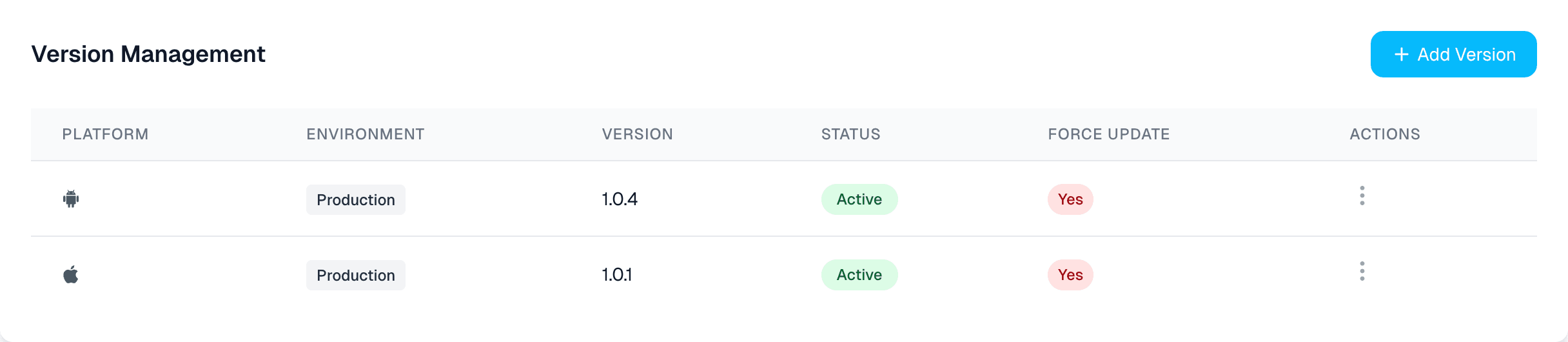
Add a version in the dashboard and choose what happens: force update, optional update, or nothing.
3. Users update
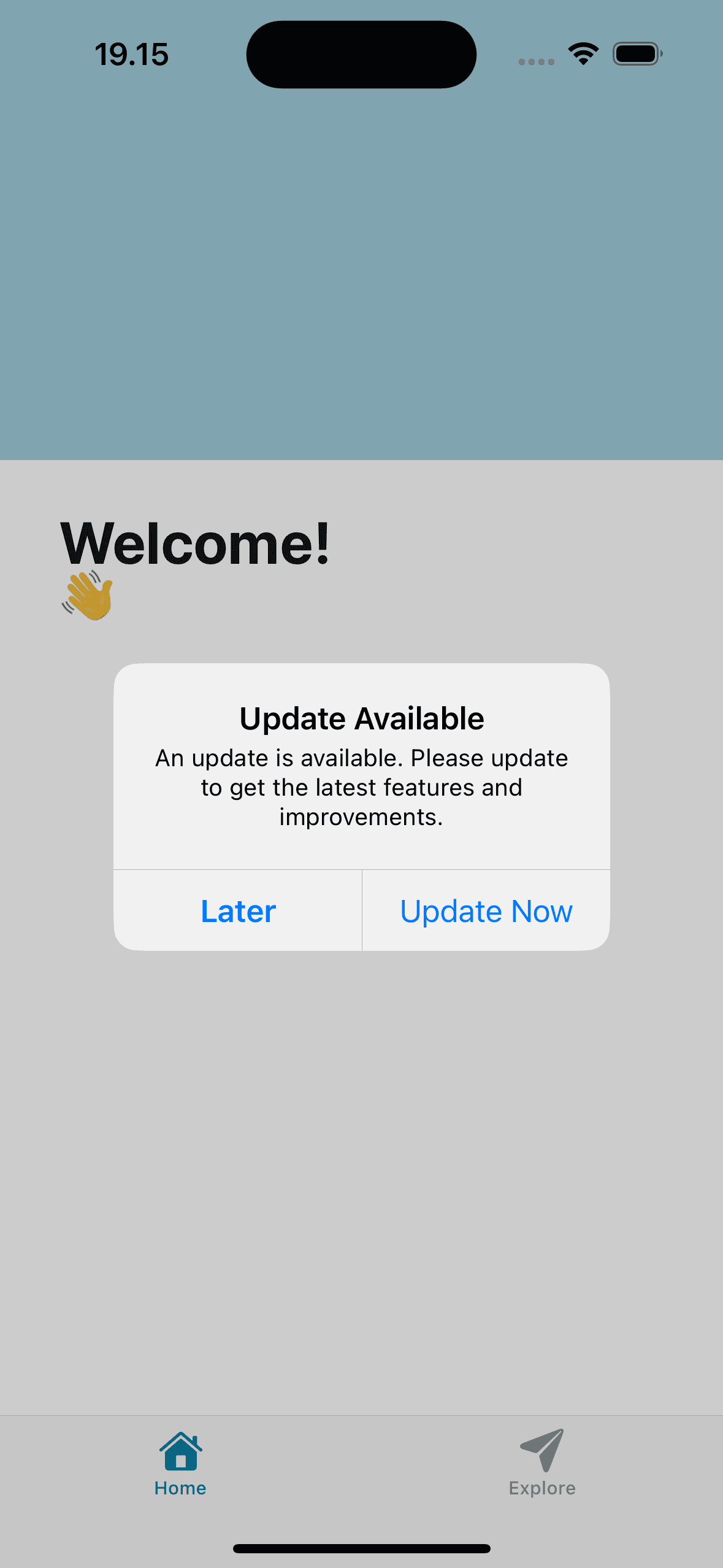
Anyone on an outdated version sees an update prompt that sends them straight to the App Store or Play Store.
Free plan available. No credit card required.
Features
Control every version running in the wild
Version management
Manage iOS and Android versions per environment. Mark critical releases as forced and let everything else stay optional.
Maintenance mode
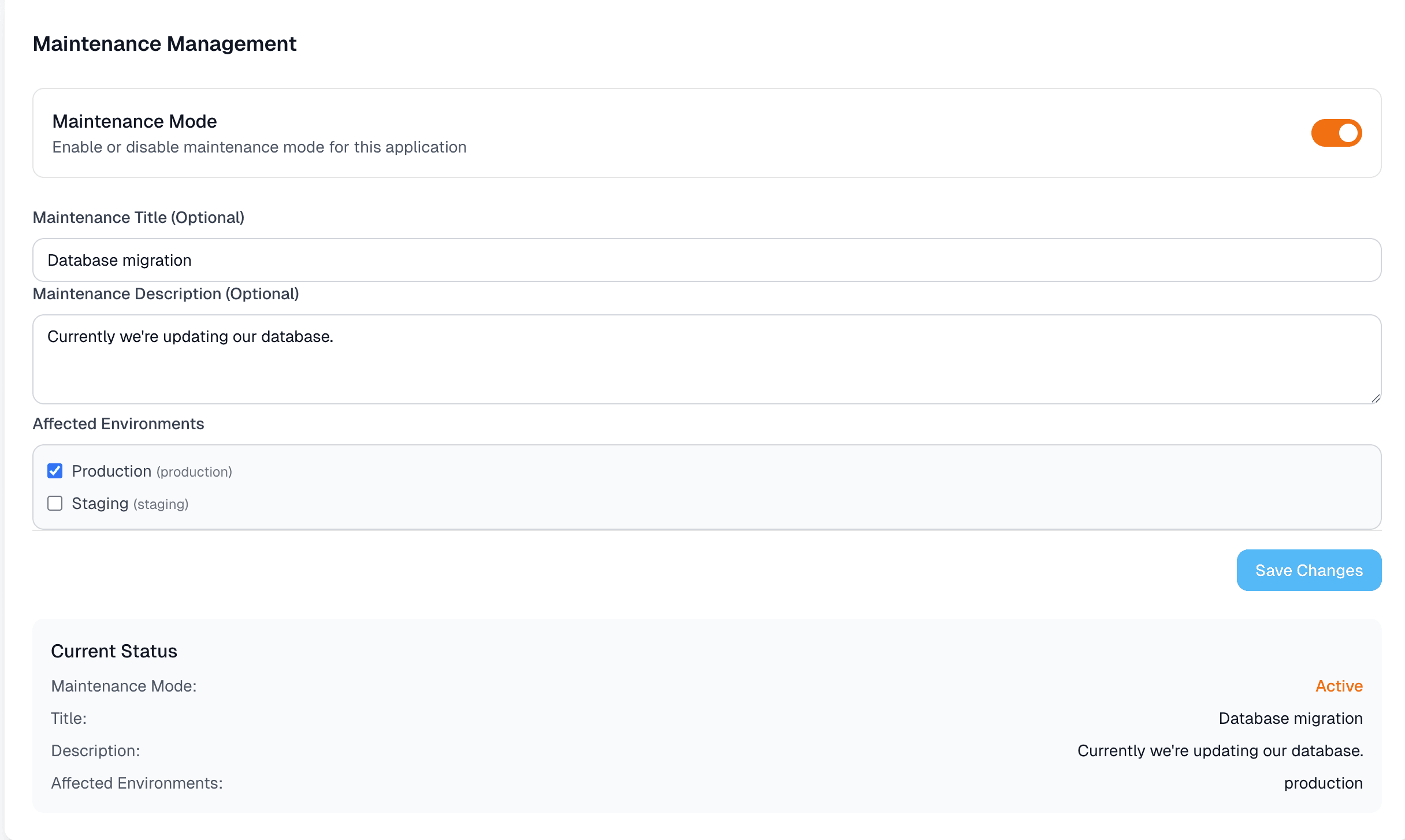
Running a migration or handling an incident? Show a full-screen maintenance message in seconds, scoped to the environments you pick.
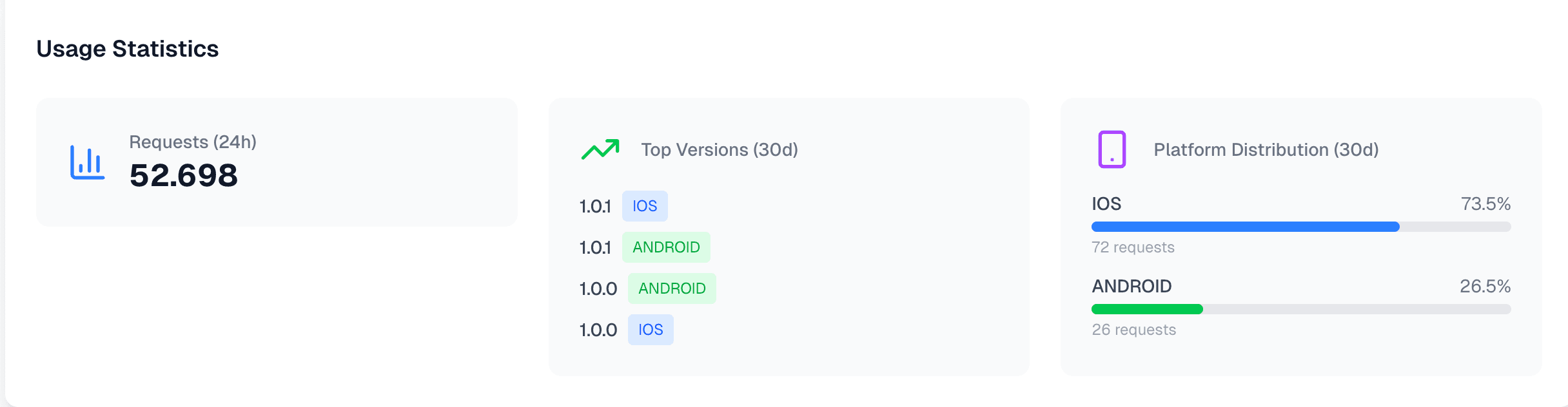
Usage analytics
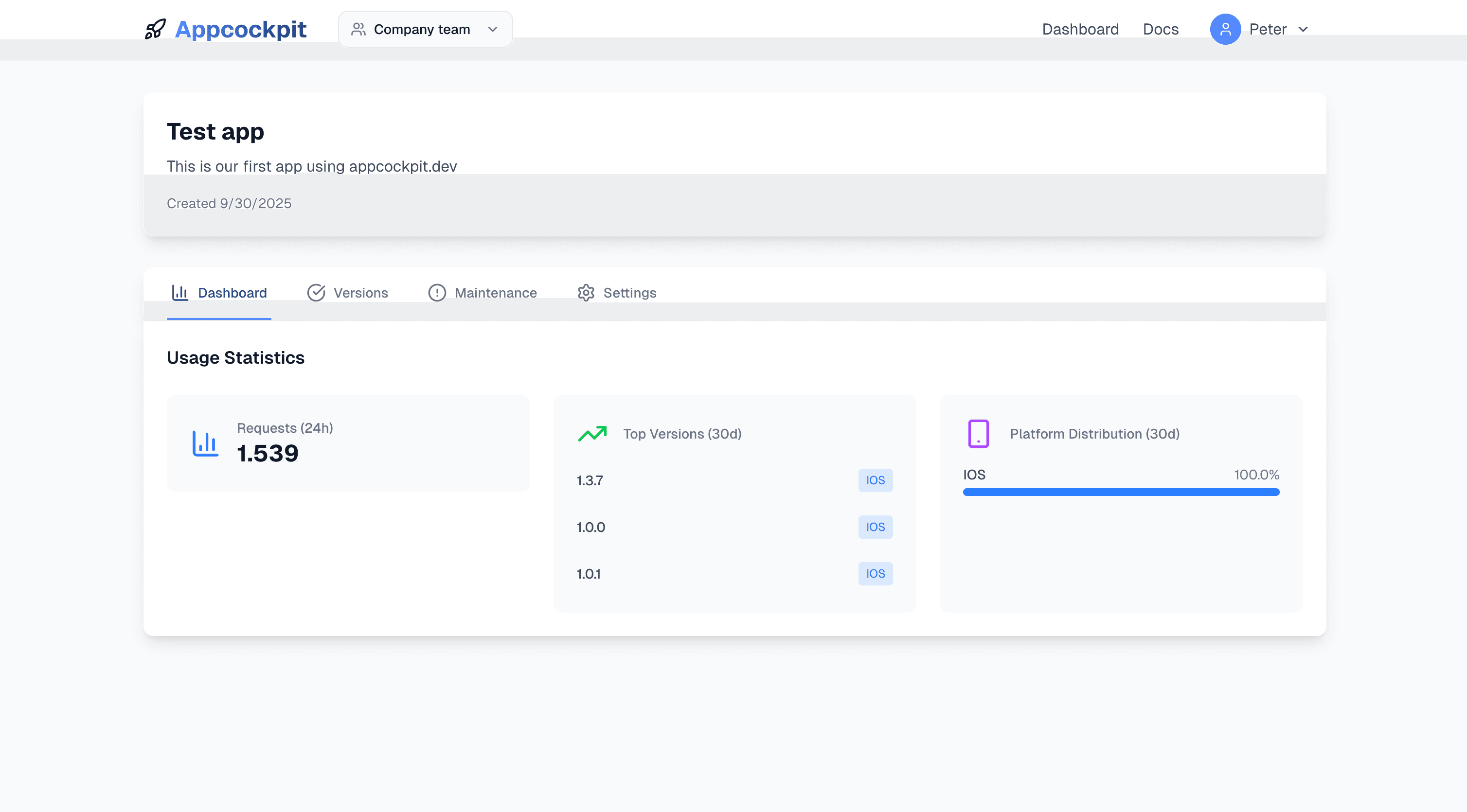
See requests, the versions your users are actually running, and your iOS / Android split, so you know when it's safe to drop old versions.
Built for developers
Drop-in SDKs, a clean REST API, an MCP server for AI assistants, environments for staging and production, and team access for everyone who ships.
Integration
A few lines of code
Wrap your app with the SDK, or call the REST API from any platform. Most setups take a couple of minutes.
import { AppUpdateProvider } from "appcockpit-react-native-sdk";

const appInfo = {
  platform: "ios",
  appId: "<appcockpit_app_id>",
  appstoreId: "123456789",
  appVersion: "2.5.0",
  environment: "production",
};

export default function App() {
  return (
    <AppUpdateProvider info={appInfo} apiToken="your-api-token">
      <YourApp />
    </AppUpdateProvider>
  );
}
Full guides in the documentation.
AI assistants
Appcockpit for AI assistants
Connect Claude Code, Cursor or Codex with MCP and manage versions in plain English: check adoption, set minimum versions, force updates and switch maintenance mode.
mcp.appcockpit.dev
> How many iOS users would a minimum version of 1.3.6 force to update?
⏺ appcockpit · get_version_adoption
In the last 30 days, 840 of 2,480 iOS users (34%) are below 1.3.6, mostly on 1.3.5 and 1.3.3.
> Make it an optional update for now, and turn on maintenance in staging.
⏺ appcockpit · create_minimum_version
⏺ appcockpit · set_maintenance
Done. iOS users below 1.3.6 in production now get an optional update prompt, and staging shows the maintenance screen.
$ claude mcp add --transport http appcockpit https://mcp.appcockpit.dev --header "Authorization: Bearer <your-api-key>"Create an API key in Team Settings. Every change an assistant makes is recorded in the activity log.
Simple pricing
One plan with everything included. Try it free for 30 days.
Pro
- 5 apps
- 10,000 monthly active devices
- Force & optional updates
- Maintenance mode
- Analytics dashboard
- REST API access
- Team collaboration
No credit card required. Free plan: 1 app and 1,000 monthly active devices. See all plans
FAQ
There are SDKs for React Native and Flutter. For native iOS, Android or anything else, the REST API gives you the same version and maintenance checks.
A force update can't be dismissed: users have to update before they can keep using the app. An optional update can be dismissed, and a dismissed version won't be shown to that user again.
Turn it on in the dashboard with an optional title and description, and choose which environments it applies to. The SDK shows a full-screen overlay and checks again periodically until maintenance ends.
No. Once the SDK or API call is in your app, versions and maintenance mode are controlled from the dashboard and take effect without a new release.
Yes. Appcockpit has an MCP server at mcp.appcockpit.dev. Connect Claude Code, Cursor, Codex or any MCP client with a team API key, and ask in plain English to check version adoption, set minimum versions, force or relax updates and turn maintenance mode on or off. Every change is recorded in the activity log.
Yes. Versions and maintenance mode are configured per environment, so you can test the whole flow in staging first.
Every new team gets 30 days of Pro for free, no credit card required. After that you're on the Free plan (1 app, 1,000 monthly active devices) unless you subscribe, and your apps keep working either way.
Yes. Team collaboration is included, so everyone who ships the app can manage versions and maintenance mode.
All major credit cards. Yearly billing costs $200 instead of $240, so you get two months free.
Stop supporting outdated app versions
Set up force updates and maintenance mode in minutes, and decide which versions your users run.
Free plan available. No credit card required.